
Fitness for the bar exam
This tutorial is based on models trained on the LSAC dataset. Models trained on this dataset are intended to predict whether a law student will pass the bar exam.
As in the first tutorial, we assume that a model is already trained for use in FixOut. The first steps regarding the necessary imports are the same as the first tutorial, so please check it out (Tutorial 1 – Credit Risk) before continue this one.
You can import the data directly from the FixOut package, as LSAC is a toy dataset, then call importLSACData.
from demo_data import importLSACData
We initialize the class responsible for running FixOut (FixOutRunner ☍) and assign it a name (which will be the title displayed on the web interface). We also indicate the sensitive features. In this case, they are “sex”,”race”, and “family_income”.
⚠
FixOut is a tool centered on sensitive features and their proxies. Not providing this information correctly beforehand will compromise the obtained results.
fxo = FixOutRunner("Bar exam")

sensitive_features = ["sex","race","family_income"]

fxa = FixOutArtifact(model=model,
                    training_data=(X_train,y_train),
                    testing_data=[(X_test,y_test,"Testing")],
                    features_name=features_name,
                    sensitive_features=sensitive_features,
                    dictionary=dic)
As in the first tutorial, from now on, you rely on different functions depending on the development environment you use.
Using a Jupyter Notebook
Begin with the runJ function to launch FixOut.
fxo.runJ(fxa, show=False)
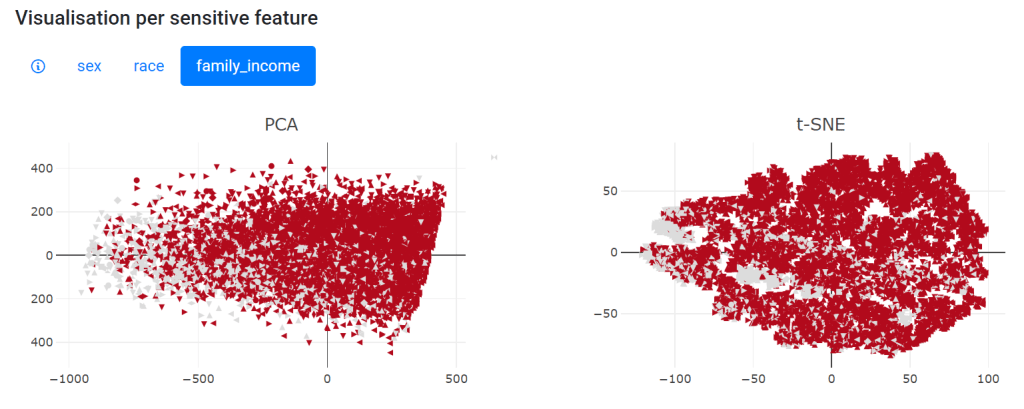
If you need a quick data visualization focused on sensitive features, you can use the method data_visualization.
fxo.data_visualization()
 FixOut