
Credit Risk Assessment
This tutorial is based on models trained on the German Credit Data ☍. These models were trained to predict whether a person would default or not.
We assume that a model is already trained. If you do not know how to install FixOut, check out this page ☍. First, we make the necessary imports to use FixOut, as shown below.
from fixout import FixOutArtifact
from fixout import FixOutRunner
You can import the data directly from the FixOut package, as German is a toy dataset, then call importGermanData.
from demo_data import importGermanData
Next, we initialize the class responsible for running FixOut (FixOutRunner ☍) and assign it a name (which will be the title displayed on the web interface). We also indicate the sensitive features.
⚠
FixOut is a tool centered on sensitive features and their proxies. Not providing this information correctly beforehand will compromise the obtained results.
fxo = FixOutRunner("Credit Risk Assessment (German bank)")

sensitive_features = ["foreignworker","statussex"]
Then, we can initialize a FixOut artifact (FixOutArtifact ☍) with the trained model, the data (training and test from the German dataset) and the sensitive features.
fxa = FixOutArtifact(model=model,
                    training_data=(X_train,y_train),
                    testing_data=[(X_test,y_test,"Testing")],
                    features_name=features_name,
                    sensitive_features=sensitive_features,
                    dictionary=dic)
From now on, you rely on different functions depending on the development environment you use.
Using a Jupyter Notebook
In case you are using a notebook, you must start FixOut with the function runJ. If you prefer to see all the results in one place, make sure to call runJ with show=True instead.
fxo.runJ(fxa, show=False)
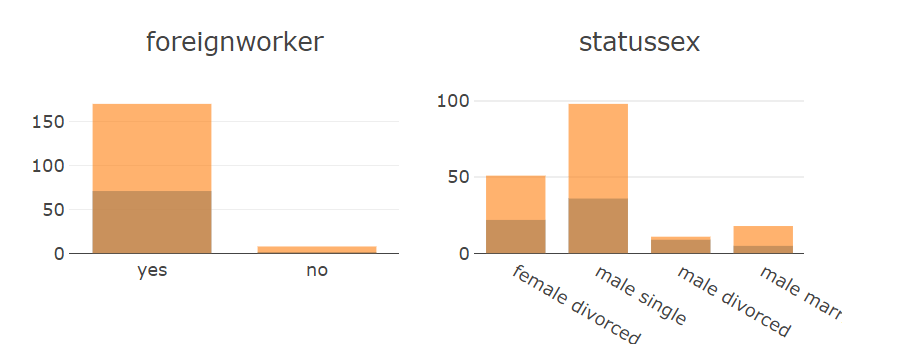
Then, you will be able to see the data distribution centered on the sensitive features informed earlier, just make use of data_distribution.
fxo.data_distribution("Testing")
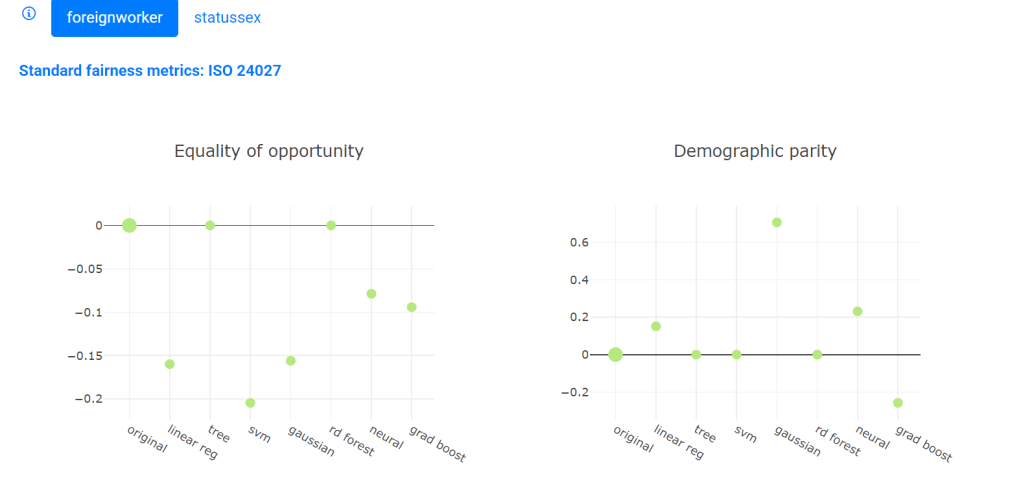
You can also check the calculated fairness metrics by calling the function fairness.
fxo.fairness()
The Jupyter notebook file containing the example in this tutorial can be downloaded here ⤓.
In your quality management code
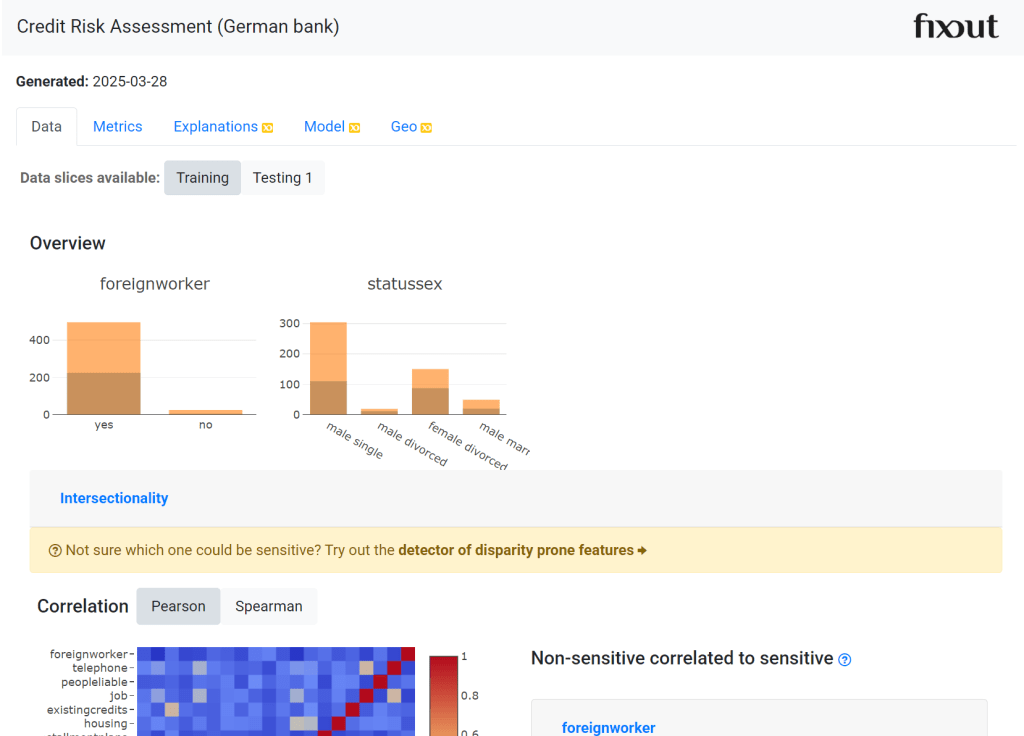
In case you want to use FixOut integrated in your code, use must use the function run to start FixOut. Make sure show=True if you want to have access to the web interface with all results. You can access the web interface by going to http://localhost:5000 in your browser (in case you do not customize the parameters related to the web interface).
fxo.run(fxa, show=True)
Resources & References
- Example files: Notebook ⤓
- Dataset: German Credit ☍
- Documentation (user guide and API reference)
- How to install
 FixOut